Peach Calling: WhatsApp Voice for Enterprises
The era of "blind dialing" is over. Learn how Peach transforms WhatsApp into an AI-first, enterprise-grade voice channel that connects identities, not just phone numbers.
- The Mechanics: How WhatsApp Calling Works
WhatsApp calling is not like a standard phone line. To keep the platform spam-free, it follows strict rules.
A. User-Initiated Calls (Inbound)
- The Cost: Always Free for the business.
- The Workflow: Customers tap the "Call" button on your profile or a "Click-to-Call" link inside a message template.
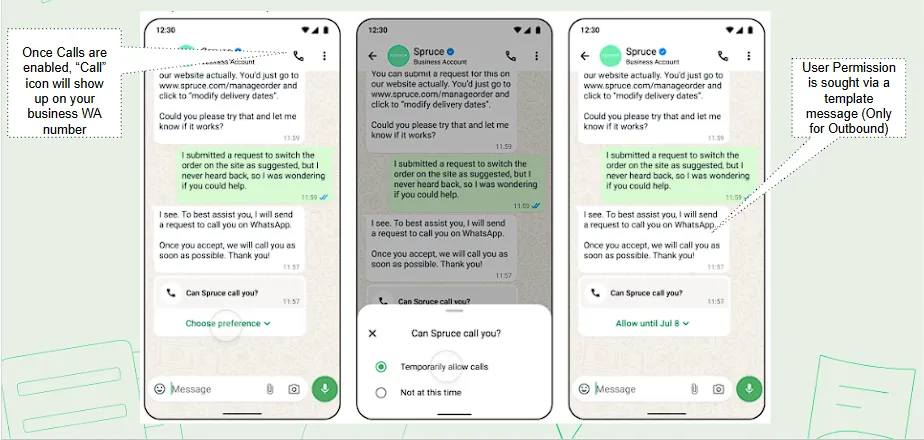
- The Peach Advantage: Instead of a simple ring, Peach applies Intelligent Routing. We check agent availability before connecting the call.
B. Business-Initiated Calls (Outbound)
- The Rule: You cannot "cold call" on WhatsApp. You must use a Consent-First workflow.
- The Cost: Billed on a precise 6-second pulse (approx. 40-60% cheaper than international PSTN minutes).(For more details)
The "Trust-First" Permission Workflow
To place an outbound call, you must first obtain a secure permission token from the user.
- The Handshake: Send a pre-approved Call Permission Template.
- The Window: Once the user taps "Allow," a 7-Day Temporary Window opens.
- Users can also grant Permanent Permission, allowing indefinitely recurring calls until revoked.
- The Limits: You may place up to 10 connected calls per day within this window.
C. Critical Regional Restrictions (Outbound Only)
While you can receive calls from anywhere (in all regions where the Cloud API is available), you currently cannot place Outbound calls to numbers registered in these countries:
- 🇺🇸 USA (+1) & 🇨🇦 Canada (+1)
- 🇹🇷 Turkey (+90)
- 🇪🇬 Egypt (+20)
- 🇻🇳 Vietnam (+84)
- 🇳🇬 Nigeria (+234)
- The Checklist: Is Your Business Ready?
This technology is powerful, but it isn't for everyone. To turn on High-Trust Voice with Peach, your business needs to meet specific technical requirements.
Think of this as your "Eligibility Pass":
- The Right Platform: You cannot use the standard WhatsApp Business App that you download on a phone. Your number must be hosted on the Cloud API (the professional software version of WhatsApp).
- The Right Size: This is built for scale. Typically, your phone number needs a messaging limit of 2,000+ conversations per day to be eligible.
- The Capacity: The system supports up to 1,000 incoming and 1,000 outgoing calls happening at the exact same time on a single number.
- The Setup Guide: How to Launch and Use Peach Calling
Once you are eligible, setting up calling on Peach is a simple process. Here is how the setup works, followed by the daily workflow for your agents.
Phase 1: Initial System Configuration
Before your agents start talking, you are required to complete the setup.
Step 1: Connect Your Number
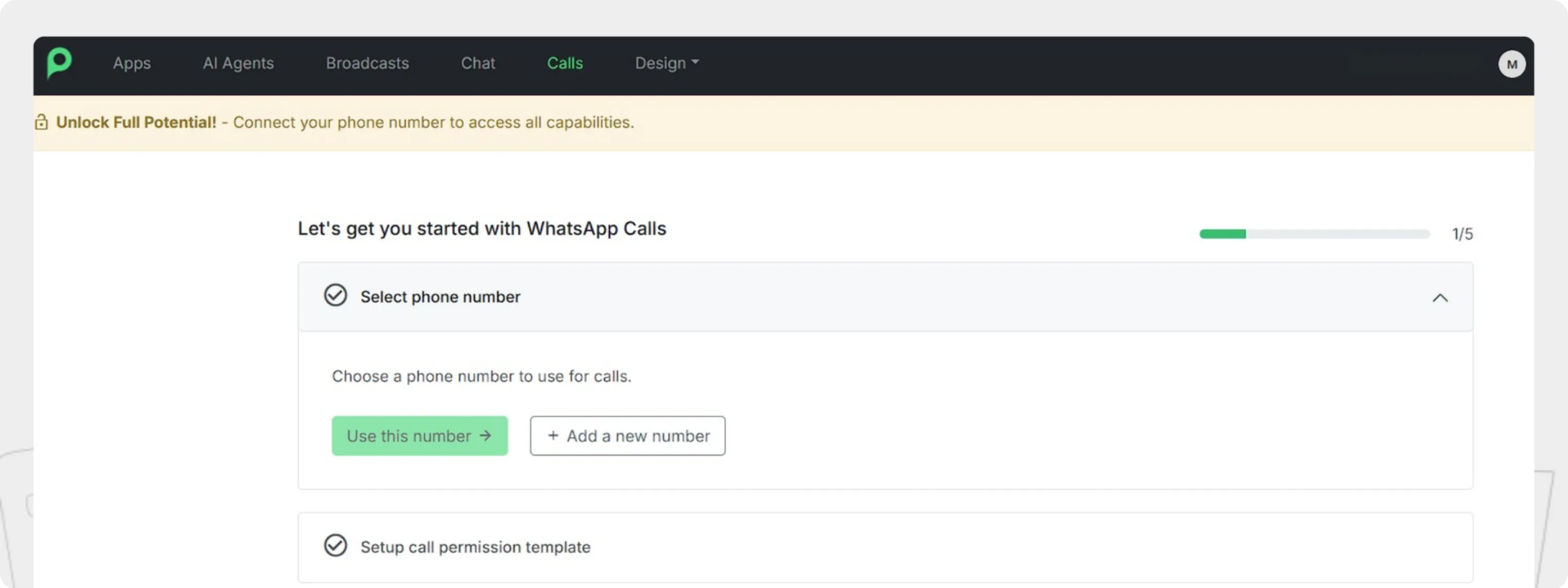
To begin, you simply need to ensure your phone number is connected to the Peach platform.
Onboarding a New Number: If you are adding a new line for calling, you will need to onboard it first. (Click here to get started with the onboarding, or learn more in our step-by-step phone number onboarding guide).
Note: If you already have numbers active on Peach, you don't need to start from scratch. Simply select the number you want to enable for voice from your existing list.
Step 2: Create "The Handshake" (Permission Template)
Since you cannot cold call customers on WhatsApp, you need a pre-approved message to ask for permission .
- The Task: You setup a "Call Permission Template".
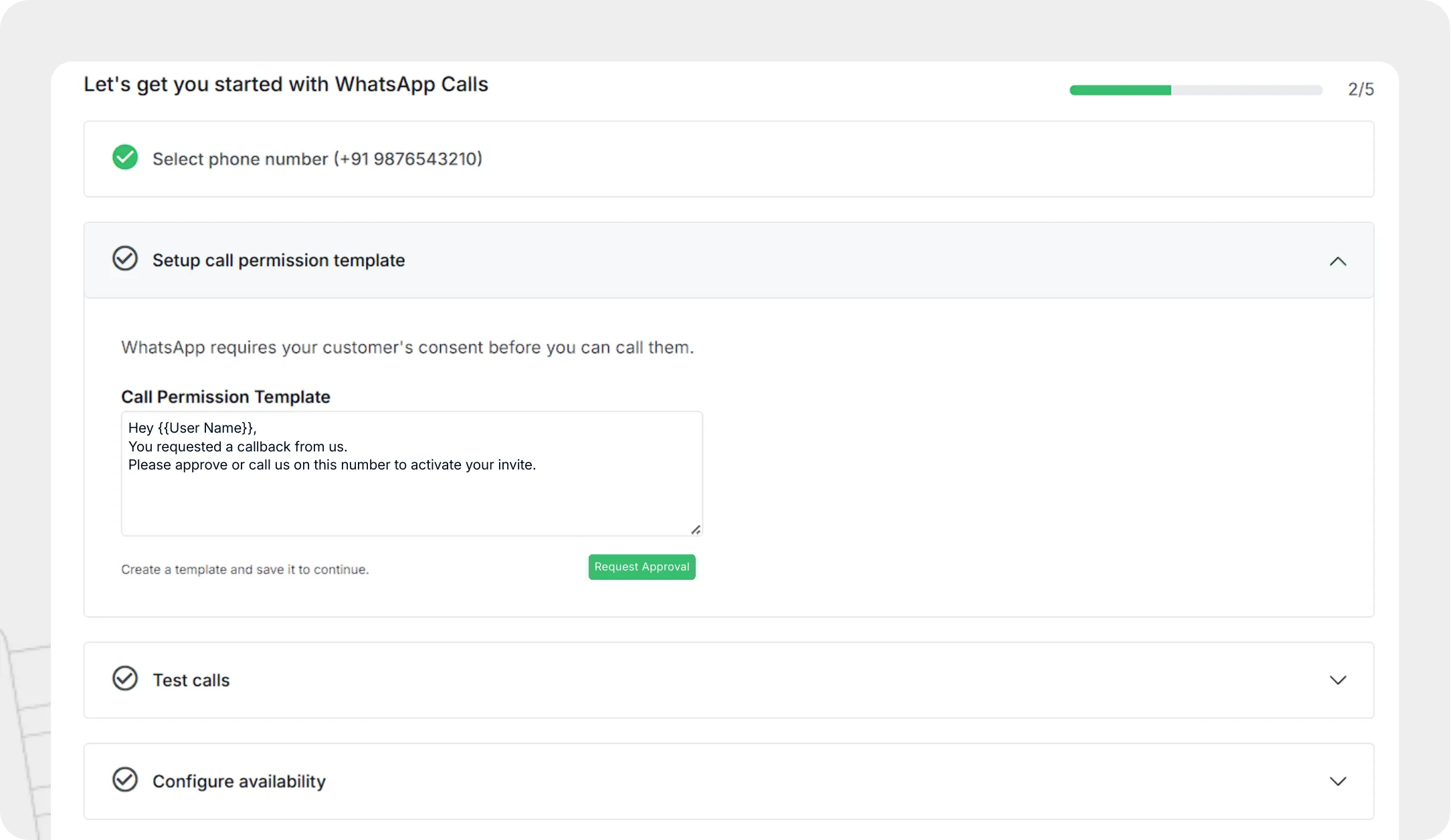
- What it does: This is the automated message sent to a customer to ask for consent. The text can be configured to match your brand.
Step 3: Verify Connections
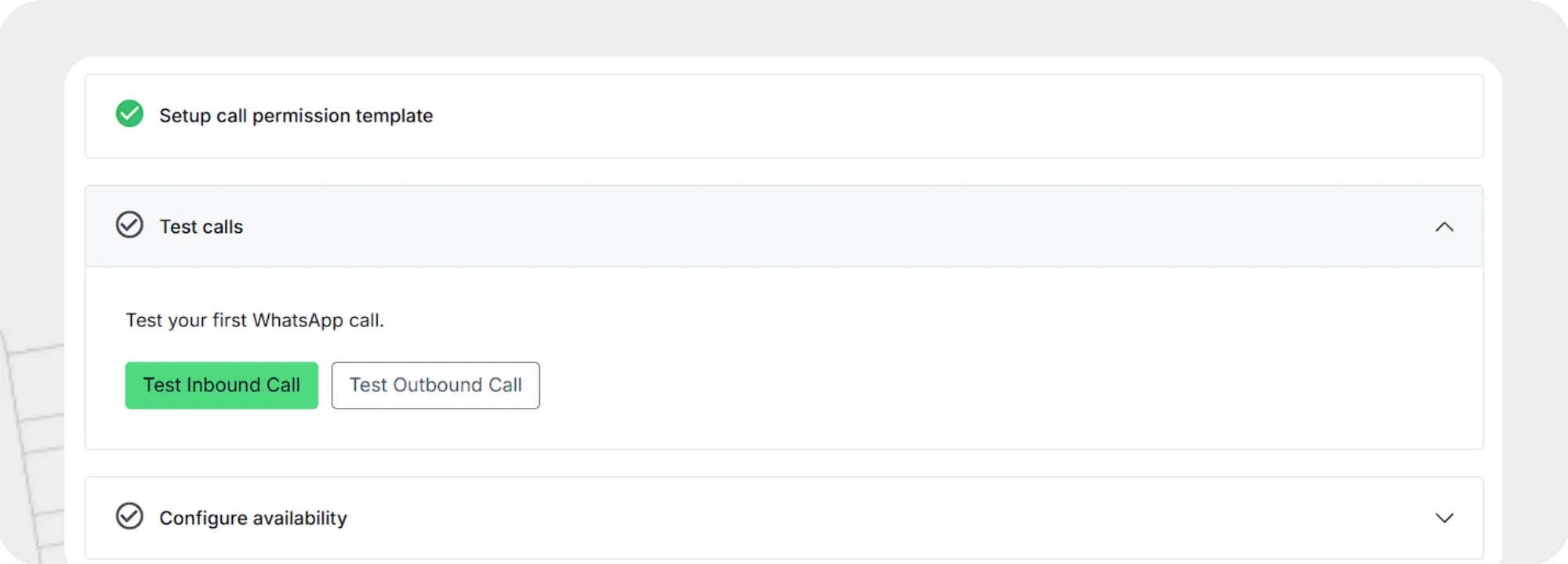
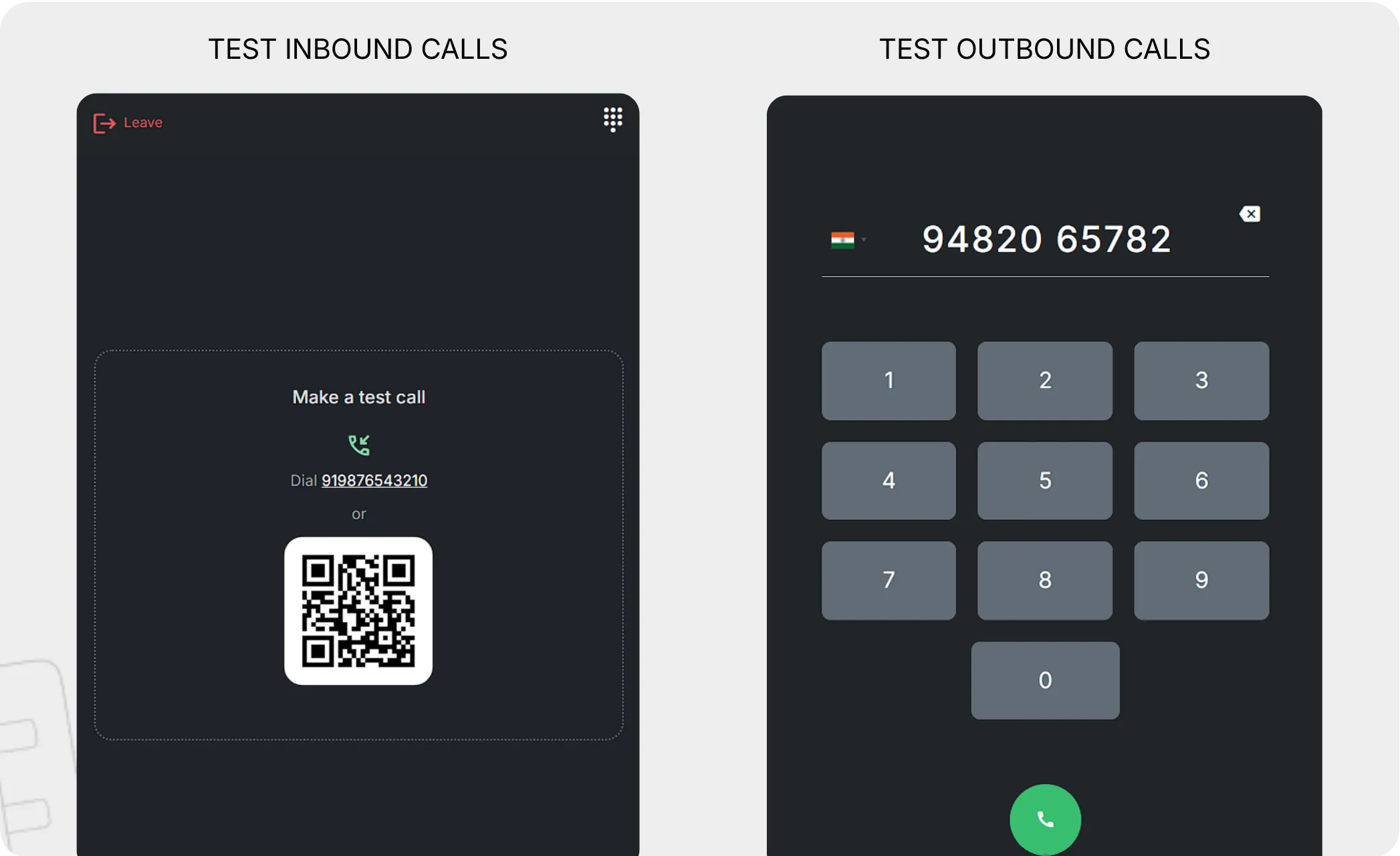
Before going live, test if your setup is working correctly.
- Inbound Test: Peach generates a QR Code. Scan it with your personal phone to call your dashboard and test it.
- Outbound Test: Use the built-in dialer to call a test number and verify the connection.
Step 4: Set Your Hours & Team
- Availability: Configure exactly when your lines are open for business so customers don't call an empty desk.
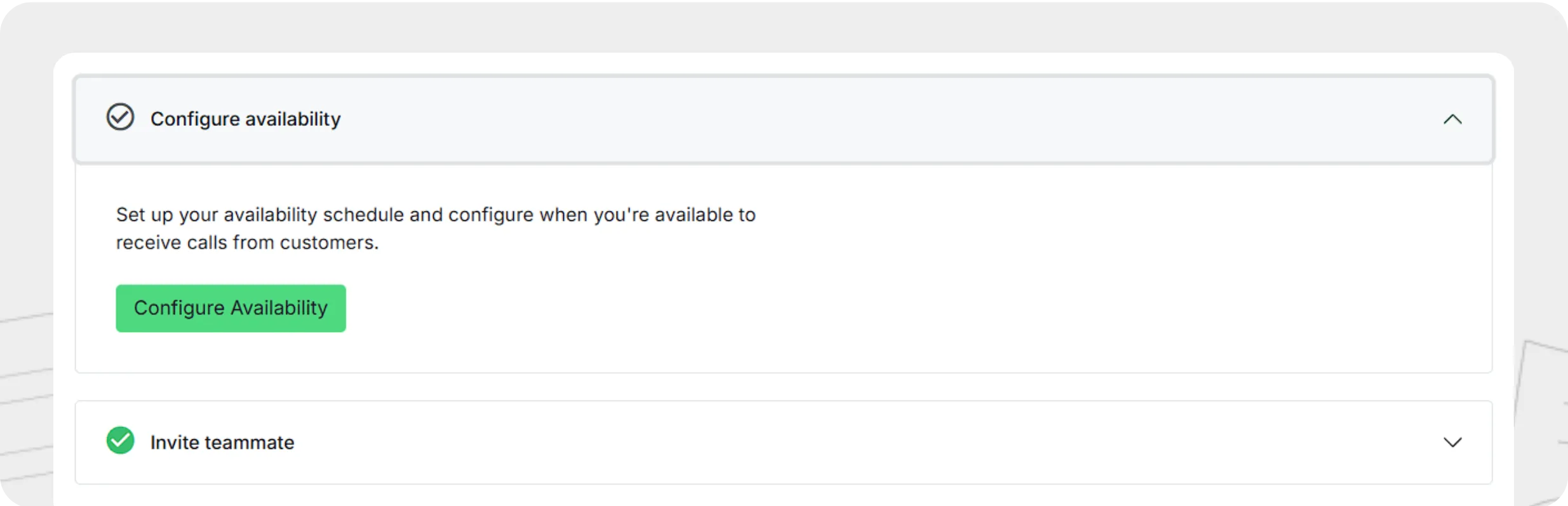
- Roles: Assign Admins (who control the Queue and Dialer) and Agents (who only access the Dialer).
Phase 2: The Agent Experience
Once setup is done, the goal is to keep everything in one single view so agents never have to switch tabs.
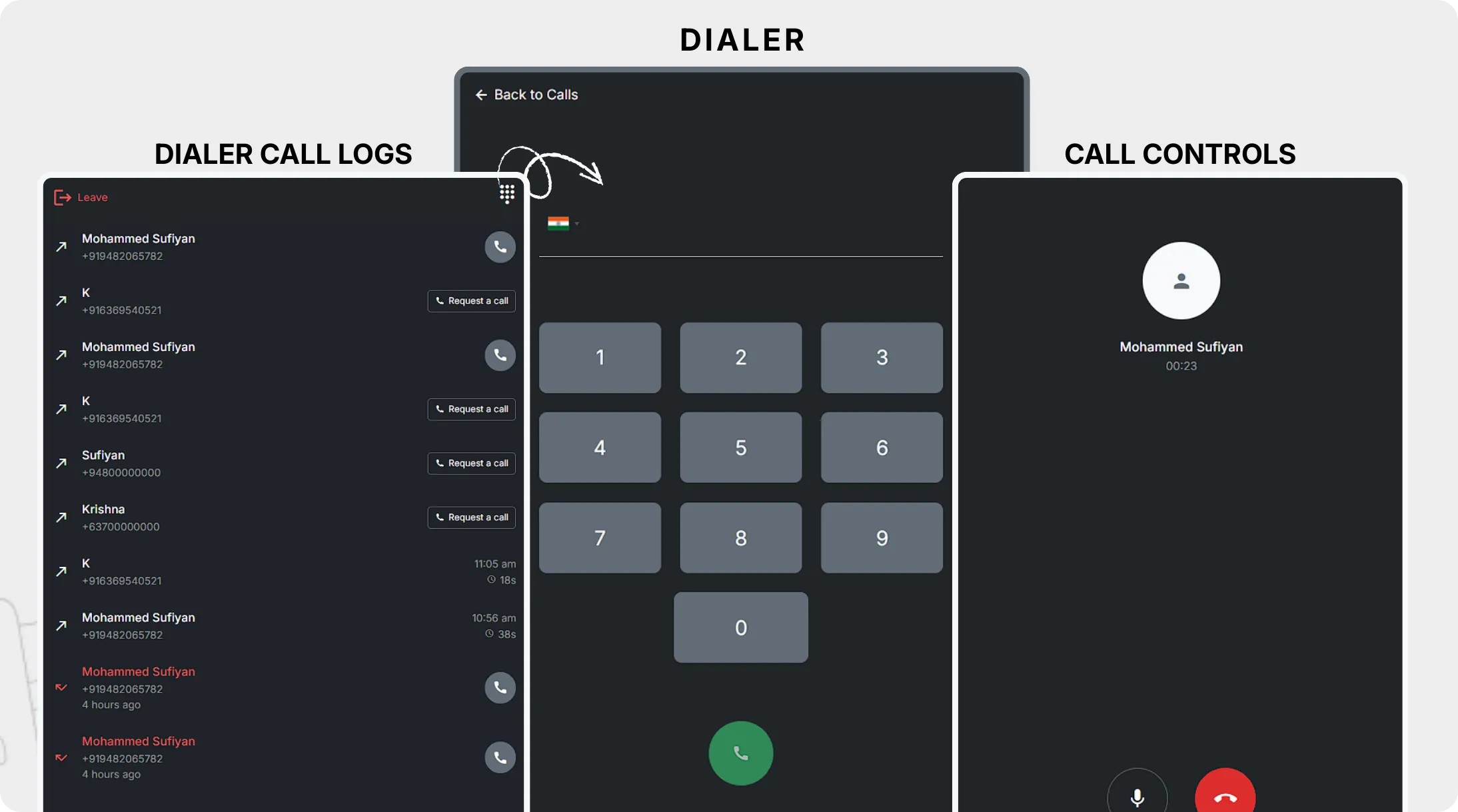
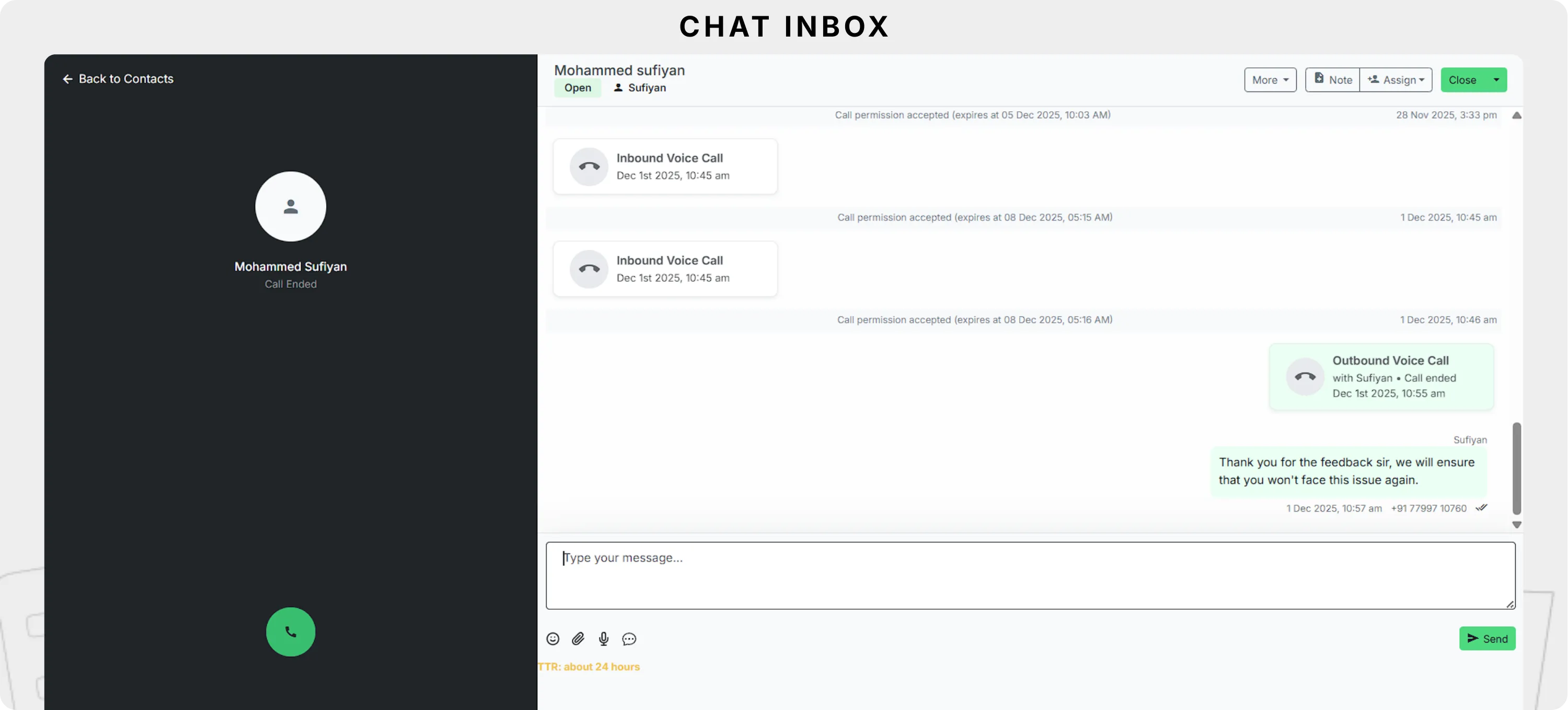
The Unified Inbox When an agent is on a call, the screen is split to give them full control.
- The Call Controls: This contains the Dialer and Call Logs. When a call connects, it transforms into your active controls: seeing the call duration, muting your microphone, or hanging up.
- The Chat Inbox: This shows the Full Chat History. You get all the standard chat inbox controls here, allowing you to read previous messages ("I didn't receive my refund") or type new ones while you are still talking to the customer.
Phase 3: The "Safety Check" (How Outbound Calling Works)
This is the most critical part. To ensure you never accidentally break spam rules, Peach automates the permission logic the moment you try to dial.
The Workflow:
- Initiating the Call: An agent tries to call a customer (by dialing the number).
- Verification: Before the call connects, Peach instantly checks: Does this customer have an active permission window?
- Permission is not Available:
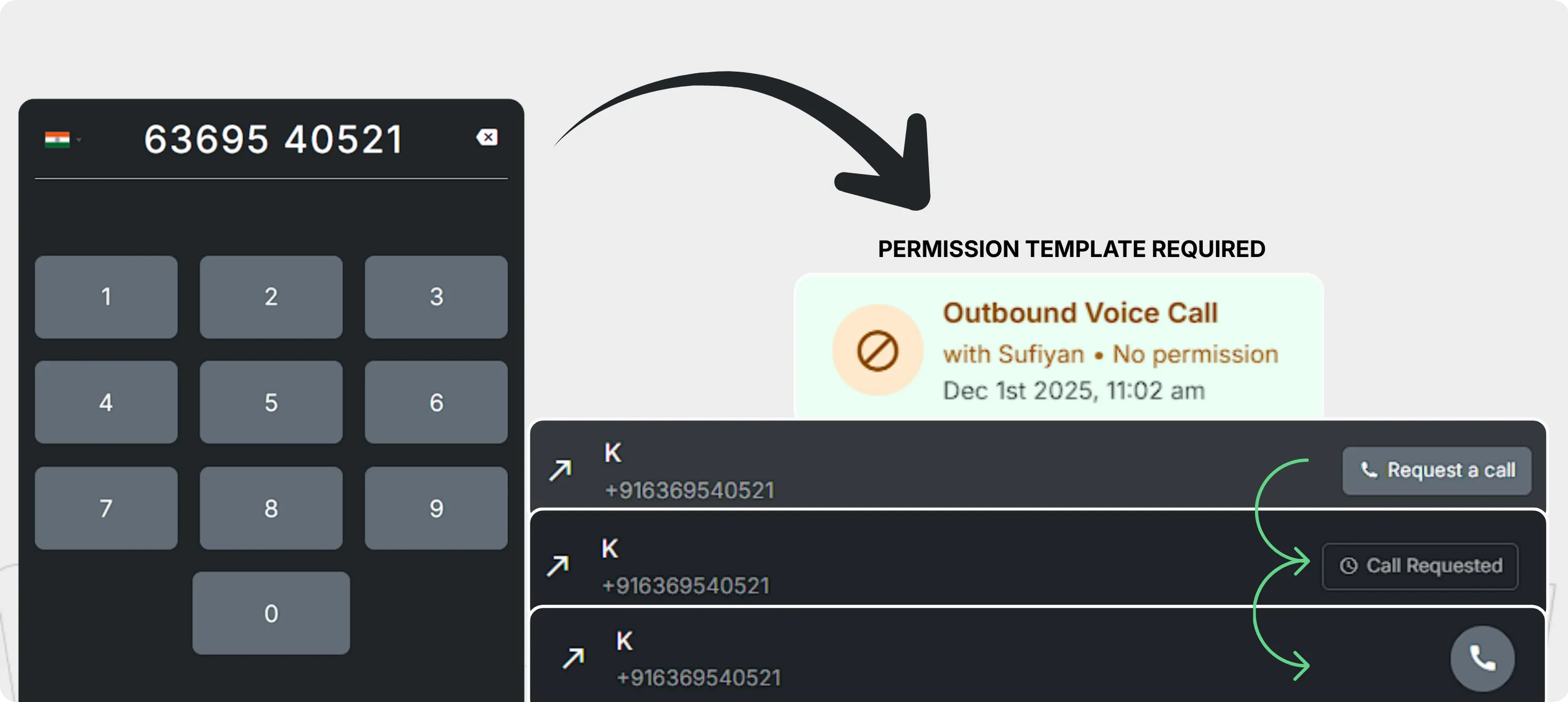
- The system blocks the call and prompts the user to request a call.
- The agent clicks "Request a call" to send the pre-approved Permission Template.
- The status on the dashboard updates to "Call Requested".
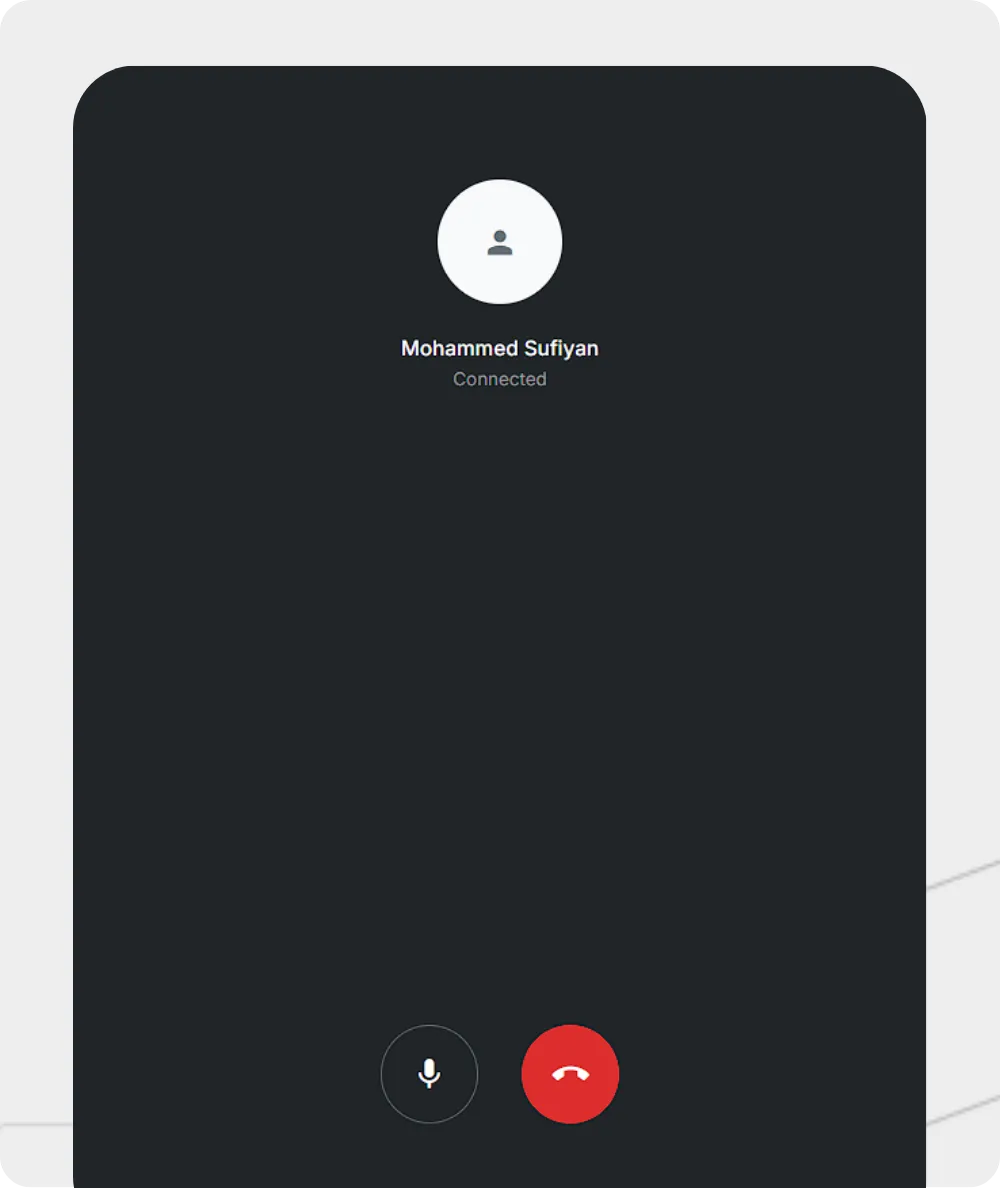
- Permission is Available: If the customer has provided permission to get calls from you the call connects immediately without any extra steps.
- The Peach Advantage: AI-First Compliance & Unified Context
Now that you understand the rules and the setup, the big question remains: Why do you need Peach?
On its own, the raw WhatsApp API is just a connectivity tool often called a "dumb pipe". It connects calls, but it doesn't remember them. It doesn't record audio, save transcripts, or link conversations to your customer database.
This is where Peach steps in. Peach acts as the intelligence layer that sits on top of WhatsApp, transforming a simple calling line into a fully compliant, enterprise-grade contact center.
Feature | Raw WhatsApp API (The "Dumb Pipe") | Peach (The AI-First Layer) | Why It Matters |
|---|---|---|---|
Recordings | No audio retained. No transcripts or audit trails. | Automatically records, transcribes, and encrypts every call. | Critical for legal compliance (GDPR) and training. |
Context | Voice and Chat are separate. Agents have "blind spots." | Unified Timeline: Calls, chats, and tickets are in one view. | Agents solve issues faster because they see the full history. |
Routing | Simple ringing. Calls might be missed if agents are busy. | Intelligent Routing: Checks agent availability before connecting. | Reduces missed calls and frustrated customers. |
Integration | None. Data sits in the app. | Syncs all the data directly to your CRM. | Keeps your customer database up to date automatically. |
- Conclusion: Peach for Enterprise Voice & Global Scale
Moving voice interactions to WhatsApp is not just about reducing toll costs, it is about unifying your customer experience. As an AI-first Contact Center, Peach brings Unified Chat + Calls into a single, powerful platform.
- Unified Interactions: Bring every customer interaction, whether it is a call, a voice note, or a text message into one seamless timeline.
- The Right Channel at the Right Time: Not everything requires a call, and not everyone likes to type. Peach allows you to adjust your communication style to match your customer's preference instantly.
- AI Agents on Guard: Let intelligent AI agents handle the repetitive and boring tasks, freeing your support and sales teams to focus on complex, high-value conversations.
By layering enterprise compliance and AI-driven insights over Meta’s global infrastructure, Peach ensures that every conversation is captured, transcribed, and actionable.
Turn your support from a legacy cost center into a data-rich relationship builder with WhatsApp Calling on Peach.